
Quick Answer
FastAPI introduces an automatic directory-check mode for app.frontend. In a development environment, a missing frontend build directory produces a warning; outside that environment, the default check remains strict.
In Plain English
A backend may start before a separate frontend build finishes during local development. Treating that order as a fatal configuration error can interrupt an otherwise normal workflow. Production needs a different default because missing built files may indicate an incomplete deployment.
Code Evidence
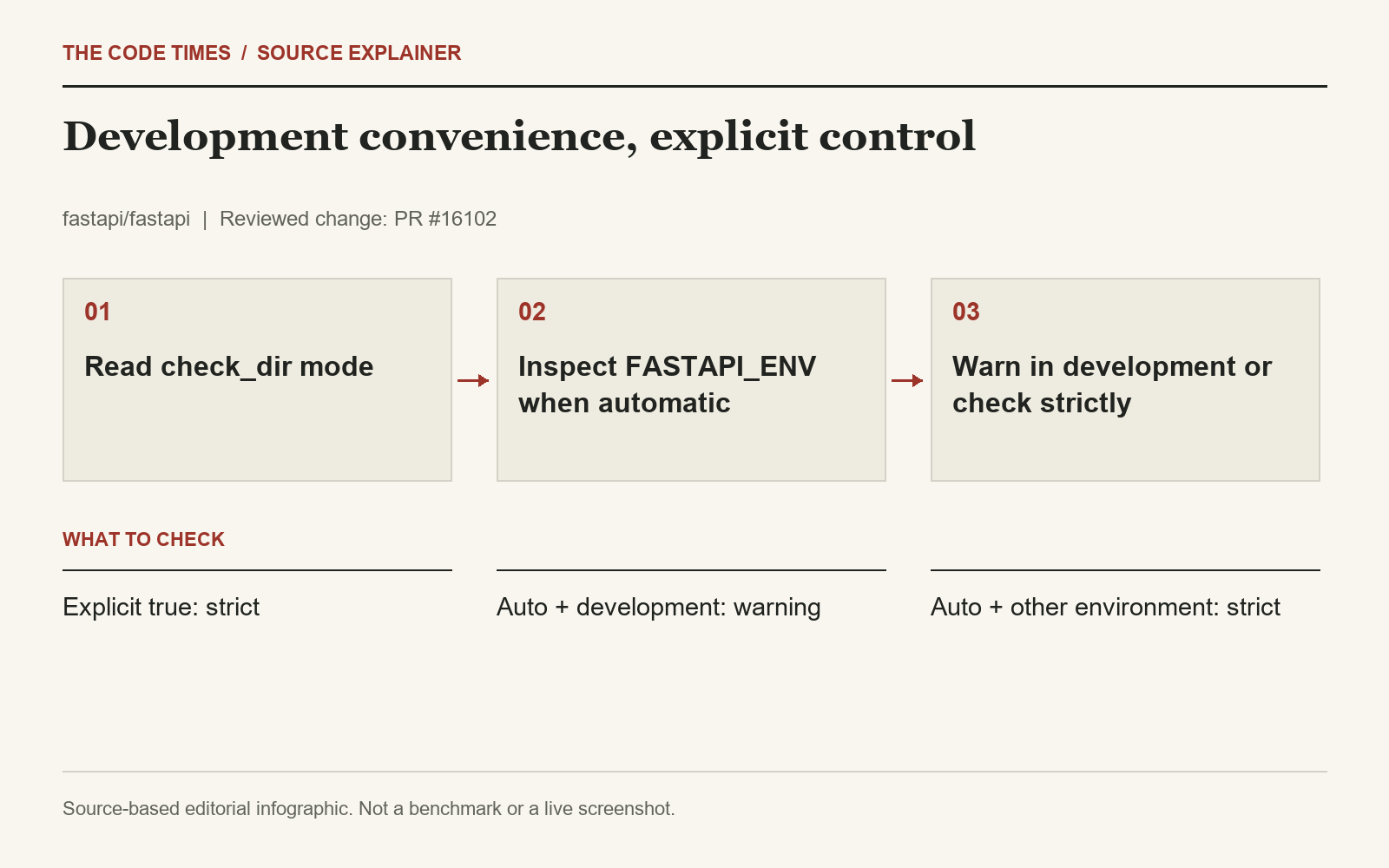
The resolver for check_dir accepts a boolean or auto. Explicit booleans pass through. Automatic mode returns a strict check unless FASTAPI_ENV equals development; in that development case it warns about a missing directory and resolves to false. Tests cover automatic development warnings, strict production behavior, and an explicit true that remains strict in development.
Why Startup Order Changes During Development
A local full-stack project often has separate processes for backend execution and frontend building. A developer may start the backend first, or a task runner may launch both processes while the frontend output directory is still being created. At that moment, a missing directory can reflect startup order rather than a broken application configuration. The automatic mode recognizes that development-specific situation while retaining a stricter default for other environments.
The important qualification is that the behavior follows an explicit environment value. It does not infer development from a laptop, a local network address, or the operating system. The reviewed resolver checks whether FASTAPI_ENV equals development. A team can therefore explain the behavior by looking at the configured mode and environment, instead of depending on an unstated assumption about where the process happens to run.
Follow the Decision in Order
The resolver first distinguishes an explicit boolean from automatic mode. A boolean passes through, allowing an application to state its desired directory-check policy directly. In automatic mode, the development environment takes the permissive path and warns if the directory is missing. Other environment values retain the strict check. The test for explicit true in development is important because it demonstrates that the environment-specific convenience does not override a direct request for strict behavior.
A Local Workflow and a Deployment Workflow
For a local developer, the expected sequence might be starting the backend, seeing the warning, completing the frontend build, and then testing the frontend request. The warning still conveys useful information: the expected output is absent at the time of the check. Allowing startup does not generate that output or guarantee that a request made before the build completes can be served successfully. The source establishes the directory-check decision, not the behavior of every build tool or asset-serving scenario.
For a deployment pipeline, missing frontend files can indicate that the build stage was skipped, the wrong artifact was packaged, or a configured path points to the wrong location. A strict check is a useful early signal in that workflow. Teams should ensure that the environment reaching the deployed process matches their intended policy. If a production service inherits development from a shared environment file, automatic mode will follow that value regardless of what the team informally calls the deployment.
Test the Configuration Matrix
A focused validation can use a disposable missing-directory path and exercise the three combinations highlighted by the regression evidence: automatic mode in development, automatic mode outside development, and explicit true in development. Check both whether startup proceeds and whether the expected warning or failure is visible. Recording only that the process started would miss the warning behavior, while recording only a log line would not establish the strict case.
Repeat the relevant case with the actual frontend output directory present to confirm the normal project setup. Verify the effective environment from the service or task-runner configuration used to launch the process, since an interactive terminal and a managed service may receive different values. If a team intentionally uses an explicit boolean, record that decision alongside the frontend path so another developer can understand why the automatic environment rule does or does not apply.
Use the Warning as a Diagnostic
A warning that remains after the expected build has finished deserves investigation. Confirm that the build writes to the directory the application references and that the process uses the intended working configuration. The new mode can make normal local startup ordering less disruptive, but it cannot reconcile two different output paths or supply omitted assets. Those distinctions keep a convenience feature from becoming a reason to ignore an incomplete frontend setup.
Why It Matters
For teams sharing a development setup across Windows, macOS, and Linux, the useful principle is an explicit environment distinction. Our interpretation is that this reduces local startup friction while retaining an early deployment check. It does not create the missing frontend files or start the frontend build process.
An Open Question
Who sets the environment value in deployment? A production process accidentally labeled development would follow the more permissive path. Teams should verify the environment supplied by their service configuration and use an explicit check when that policy needs to be unambiguous.
Scope and Limitations
We inspected the resolver, documentation changes, and regression cases. We did not run a deployment. FastAPI’s release notes identify the feature as part of 0.141.0.